


VibeMe AI: Playable Studio
4.4258.00 Reviews
App Specs
- Version
- 3.0.0
- Updated On
- License
- Free
- Downloads
- 500,000+
- Developer
- Giant Global
- Categories
- Photography
- Platform
- Android
Screenshots
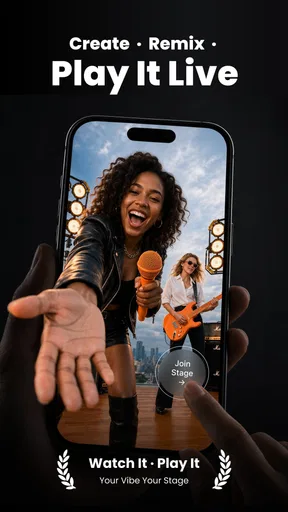
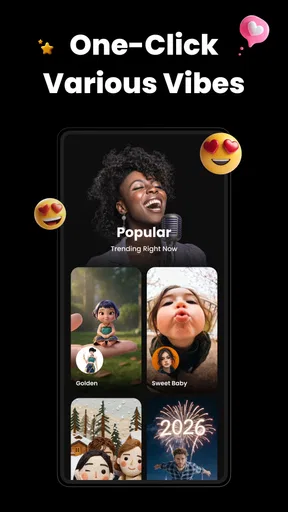
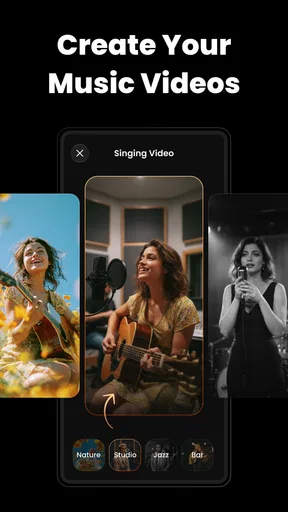
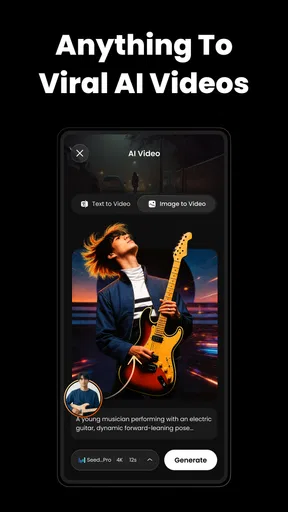
 Analysis by AppCompare
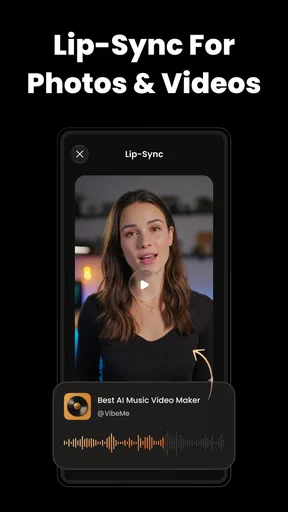
I’d reach for VibeMe AI: Music Video Maker when I want a quick, playful clip built around a face and a song, rather than a carefully edited montage. Its focus is AI animation, lip-sync and face dancing, so the appeal is less about arranging lots of footage and more about turning a still portrait into something lively enough to share. That narrow creative idea is also the key to deciding whether it fits: it can make a simple post feel more expressive, but it is not a replacement for a full video editor.
As a photography app from Giant Global, it sits in an interesting spot between photo effects and short-form video creation. It is free to install, carries a Teen content rating, and has a 4.4 average from around 6,200 ratings, with more than 500,000 installs. Those figures suggest a sizeable audience, though they don’t tell me whether its particular style will suit your taste. I’d judge it by the result you want: a lighthearted animated portrait is a better match than a polished music video assembled from multiple scenes.
What the current version is built to do
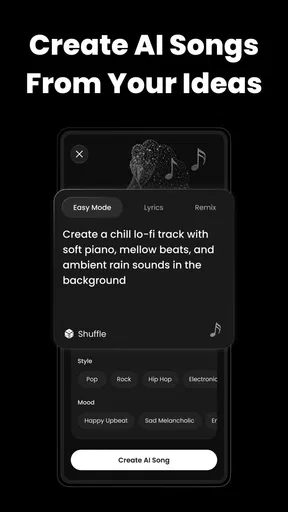
The current version is 2.7.0, and the basic proposition is easy to understand: choose a photo, pair it with an AI song or music treatment, and let the app animate the face in time with the idea. That can be appealing when you have a good portrait but no footage, editing practice, or time to shoot a clip. Instead of learning a timeline and cutting several shots together, you start with one image and see whether the animation gives it enough personality.
The most useful way to approach this is to treat the photo as the main creative decision. A clear, well-lit face facing the camera gives an animation a better chance of reading cleanly than a group snapshot, a side profile, or a picture with hair or hands crossing the face. That is a practical workflow tip, not a promise that every portrait will animate equally well. If the source image is visually busy, the final effect can feel awkward even when the song choice is fun.
Why the format works for quick sharing
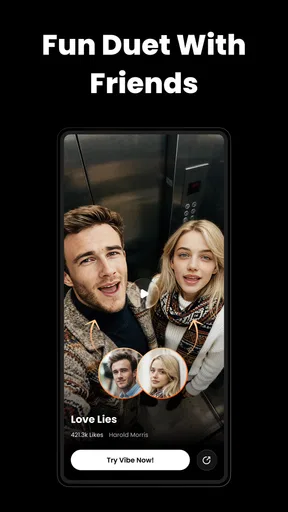
Short music-led clips are easy to understand without much explanation, which makes this style useful for a birthday greeting, a playful reaction, a profile post, or a joke among friends. I can imagine taking an ordinary portrait from my camera roll and making a brief, intentionally silly clip for a group chat instead of composing a long message. The appeal is immediacy: the photo already exists, and the animation supplies the movement.
That same immediacy creates a trade-off. A face dance is naturally the center of attention, so the format has less room for a story, a change of setting, or several people interacting. If you want to show a trip, a product demonstration, or a sequence of events, a conventional editor gives you more control over clips, pacing and context. Here, the best result is likely to be one strong visual idea rather than a miniature film.
Who is likely to enjoy it—and who may not
I’d recommend trying it if you enjoy playful social content, want to animate a portrait without learning traditional editing, or simply like experimenting with AI effects. It also makes sense for someone who has a specific image in mind and wants to see how a song-driven treatment changes its mood. You do not need a polished creator workflow to understand the premise, which makes it approachable for casual use.
Worth Reading Before You Choose

EA SPORTS FC Mobile 26 Is a Bigger Football Game, but It Takes Time

Flipboard Shows What News Apps Must Do Beyond the Feed

Switching to Android Auto Means Rethinking Your Driving Routine

Google Calendar Makes a Crowded Week Easier to Manage

Ludo King Makes the Most of the Minutes Between Plans

Baby Panda World Brings Quick Play to Modern Phones, but Its Game Library Feels Busy
I’d be more cautious if you need precise control over every beat, want to combine many video clips, or are making material for a client or a formal campaign. An AI-generated performance can be entertaining without matching the exact expression or timing you imagined. For those jobs, manual editing is slower but gives you decisions that an automated effect may not expose. If you mainly want to retouch photographs rather than animate them, a standard photo editor is also a more direct tool.
Making a better first attempt
For a first test, I’d choose a portrait where one face is prominent, with the eyes and mouth easy to see. I’d avoid spending time on a photo that already has a strong pose or dramatic angle: a simple, front-facing image gives the animation a cleaner starting point. Then I’d make a short, low-stakes attempt before choosing a picture I care about. This helps you learn the app’s visual style without treating the first output as a finished post.
It is also worth matching the song’s mood to the expression in the source photo. A cheerful track paired with a serious portrait can be funny on purpose, but it can also look mismatched if that contrast was not your intention. Think about the audience before sharing, too: a silly face animation might work well among friends while feeling out of place on a professional account. Keeping the clip focused on one clear joke or mood is often more effective than trying to make a portrait communicate several things at once.
Getting Started with VibeMe AI
First things first, downloading VibeMe AI is a breeze. It's available on both Android and iOS, so no matter your device, you can dive right in. Once installed, you're greeted with a sleek and intuitive interface that makes navigation a walk in the park. No need to be a tech wizard here!
Features that Stand Out
Now, let's talk about what makes this app a game-changer. The standout feature is its AI-driven editing. You simply upload your favorite clips and music, and the app does the magic—syncing visuals to beats, adding transitions, and even suggesting effects. It's like having a pro editor in your pocket!
Another feature that caught my eye is the extensive library of templates. Whether you're into pop, rock, or electronic, there's a template for every vibe. You can customize these templates with different filters, stickers, and text to make your video truly yours. It’s perfect for those of us who maybe aren’t the most creatively inclined.
Performance and Usability
Performance-wise, the app runs smoothly. I didn't experience any lag or crashes, which is a huge plus. The AI processing is quick, so you won’t be left twiddling your thumbs while waiting for your masterpiece to render. Plus, the app doesn’t hog your device’s resources, meaning you can keep multitasking without a hitch.
Usability is another area where VibeMe AI shines. The interface is user-friendly, and you don't need a tutorial to get started. Everything is straightforward, from selecting clips to exporting your final video. Plus, sharing your creations on social media is seamless with direct integration to platforms like Instagram and TikTok.
What the version number can—and cannot—tell you
Version 2.7.0 gives users a concrete point of reference when checking whether their installed copy is current. The app was released on October 20, 2025, so this is a relatively recent entry in its present form. That establishes a snapshot, not a development history: I wouldn’t infer from the version number alone which features changed, how the animation has evolved, or what the next release will bring.
For someone already using it, the practical question is whether the version on their device matches the current release and whether the experience remains suitable for their workflow. If you rely on a particular effect or a saved creative routine, it’s sensible to check your own output after an update instead of assuming every result will stay identical. AI tools can be sensitive to the image and creative choices you feed them, so comparing like with like—a similar portrait and song mood—makes any change easier to notice.
Plan around the result, not just the effect
A useful everyday routine is to make the animated clip before deciding where it belongs. A portrait that looks charming in a preview may not fit the crop, tone, or audience of every social platform. I’d save the idea of the clip first, then consider whether it works as a public post, a private message, or simply an experiment to keep. That extra pause can prevent an amusing effect from becoming an awkward post made in a hurry.
Also think about the photo itself. If it includes other people, especially someone who may not expect their face to be animated, ask before turning it into a joke or sharing it beyond a private conversation. This is ordinary courtesy, but it matters more with face-based effects because the person remains recognizable. A solo portrait you are comfortable sharing is the simplest starting point.
Costs and the free-to-paid decision
The app is free to download, with in-app purchases ranging from $0.49 to $199.99 per item. That broad spread makes it worth checking what a purchase actually covers before paying; I wouldn’t assume that a low-cost option and a high-cost one unlock the same thing. If you only want to test whether animated portraits fit your style, start with the free experience and decide based on a real output rather than the promise of a feature.
The original experience also raises a watermark concern: exported videos in the free version may include one, while a premium option is described as offering watermark-free exports and additional features. If a clean export matters to you, confirm the current in-app terms and the specific purchase before committing. A watermark may be perfectly acceptable for a private joke or a draft, but it can undermine a clip intended for a polished public feed.
Where it sits beside other creative apps
Compared with a conventional mobile video editor, this app asks for less manual assembly and offers less direct control over the finished performance. That is a fair exchange when the goal is a quick animated face, but a limitation when you need exact cuts, captions timed to speech, or a deliberate sequence of shots. Compared with a photo editor, it is more about turning a still into a moving, music-led moment than refining color, removing distractions, or preparing a carefully retouched image.
So I would not treat it as the one creative app to keep for every job. It is a specialized option for a particular kind of playful output. A practical two-tool approach can make more sense: use a photo editor to choose or tidy the portrait if needed, then use this app for the animation; move to a timeline editor if the idea grows into a story with several scenes. That division keeps each tool focused on what it does best.
Room for Improvement?
As much as I love this app, there are a couple of areas where it could improve. While the template library is vast, some genres and styles feel underrepresented. I’d love to see more niche music styles added in future updates.
Another point to note is the watermark on exported videos in the free version. It’s understandable, given the app's capabilities, but it might be a turn-off for some users. Fortunately, there's a premium version that offers watermark-free exports along with additional features.
What I would watch for as it develops
The most meaningful improvements for this kind of app would be ones that give people more confidence about the result: clearer choices over the mood of an animation, more variety in styles, and a straightforward understanding of what is included before exporting. Those are expectations, not claims about planned changes. With the present version as the reference point, I’d watch for whether future releases broaden the creative range without making the simple portrait-to-video workflow harder to use.
I’d also pay attention to how well the app serves people whose music taste or intended tone falls outside the most familiar template styles. That is a more useful measure than simply counting effects: a smaller set of choices that genuinely fits your idea can be better than a long menu that all looks alike. For now, anyone with a niche style in mind should treat the template selection as something to test rather than assume it will match perfectly.
Final Thoughts
All in all, VibeMe AI: Music Video Maker is a fantastic app for anyone looking to create stunning music videos with minimal effort. Its AI capabilities make it accessible to everyone, from complete beginners to seasoned content creators. Whether you’re making videos for fun or looking to enhance your social media presence, this app is a solid choice.
So, why not give it a shot? You might just discover a hidden talent for video creation. Happy editing!
My recommendation is to approach it as a fun specialist rather than a full production suite. If you have a portrait ready and want an animated, music-driven clip with little setup, it is worth trying; if you need predictable, frame-by-frame control, use a traditional editor instead. The release and version give you a clear current reference, while the real test is whether its style fits the person, photo, and audience you have in mind.
Pros
- Easy to use interface for quick editing.
- Offers a wide range of music tracks.
- High-quality video output.
- AI-driven effects enhance creativity.
- Frequent updates with new features.
Cons
- Limited free version features.
- Requires internet for full functionality.
- Occasional app crashes reported.
- Some effects require in-app purchases.
- Exporting can be slow on older devices.
FAQs for VibeMe AI: Playable Studio
What is VibeMe AI: Music Video Maker?
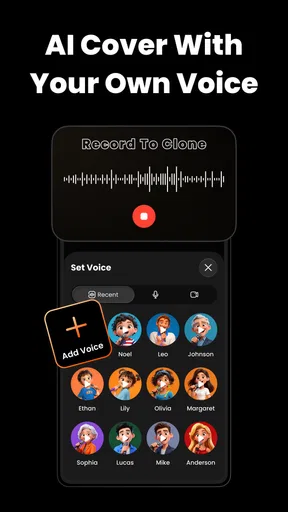
VibeMe AI: Music Video Maker is an innovative application that allows users to create dynamic music videos with ease. Utilizing advanced AI technology, it synchronizes video edits with the rhythm of the chosen music track, making it simple for anyone to produce professional-quality videos directly from their smartphone.
Is VibeMe AI available for both Android and iOS devices?
Yes, VibeMe AI is available for download on both Android and iOS platforms. Users can access it through the Google Play Store for Android devices and the Apple App Store for iOS devices, ensuring a wide reach for users across different operating systems.
What features does VibeMe AI offer for video creation?
VibeMe AI provides a range of features including AI-driven video synchronization, a variety of editing tools, and a library of music tracks. Users can choose from multiple video templates, effects, and filters to enhance their creations, making it intuitive to produce captivating music videos.
Does VibeMe AI require a subscription, or is it free to use?
VibeMe AI offers both free and premium subscription options. The free version includes basic features and a limited selection of music tracks and templates. For access to a more extensive library and advanced editing tools, users can opt for a premium subscription, which may involve a monthly or yearly fee.
How user-friendly is VibeMe AI for beginners?
VibeMe AI is designed with user-friendliness in mind, making it accessible even for beginners. The intuitive interface guides users through the video creation process, and the AI integration simplifies complex editing tasks, allowing users to focus on creativity rather than technical details.


